How to set up the ECG app on Apple Watch (step by step)
The ECG app on Apple Watch lets you record a single-lead electrocardiogram straight from your wrist in 30 seconds. Setting it up only takes a few minutes. Here's how to check that your watch is compatible, enable the ECG app, take your first reading, and what to do if the app doesn't appear.
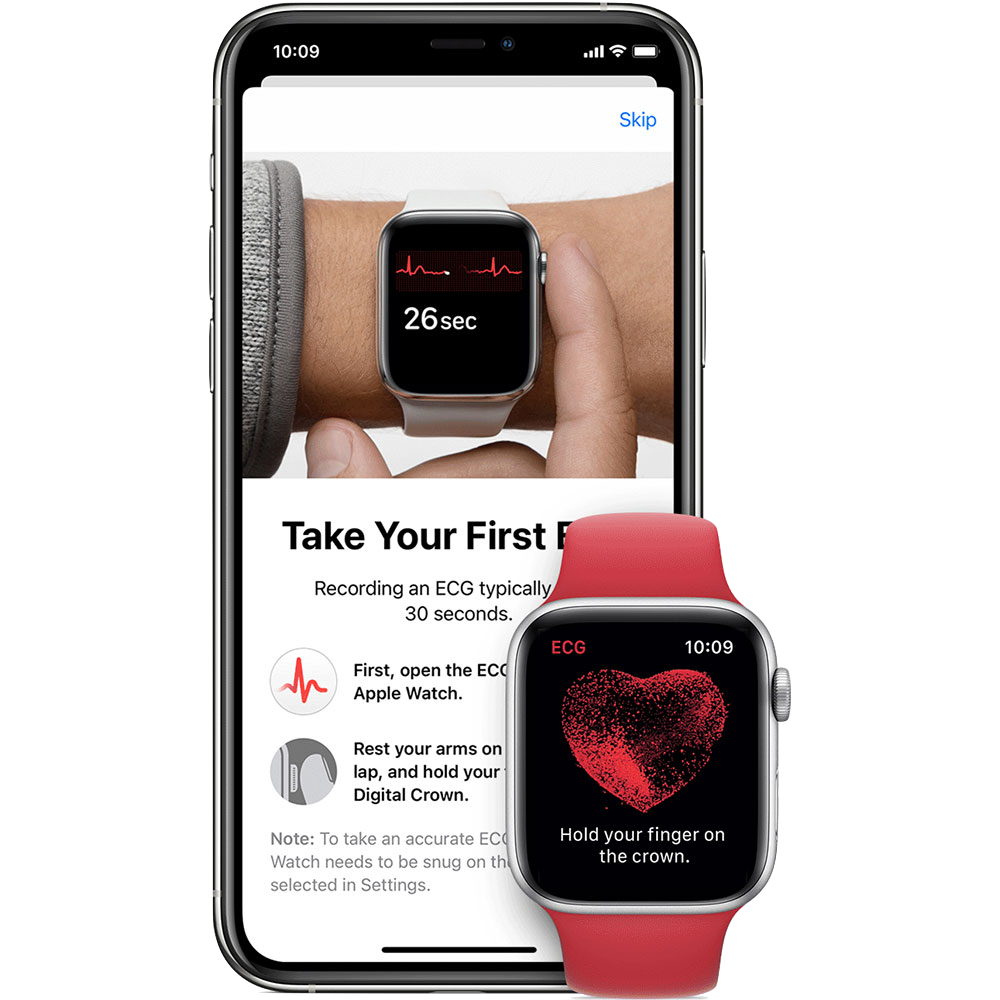
Before you start, is your Apple Watch compatible?
The ECG app isn't available on every Apple Watch. You'll need:
- Apple Watch Series 4 or later, or Apple Watch Ultra. Apple Watch SE does not have ECG.
- An iPhone 8 or later running the latest version of iOS, paired with your watch.
- A supported country or region: ECG availability varies by location.
- You must be 22 years or older to use the ECG app.
How to set up the ECG app
- Update your software. On your iPhone, install the latest iOS. Then open the Watch app → General → Software Update and update watchOS. Many setup problems are simply out-of-date software.
- Open the Health app on your iPhone. You may be prompted to set up ECG automatically, if not, tap Search → Heart → Electrocardiogram (ECG).
- Tap "Set Up the ECG App" and follow the on-screen instructions. This installs the ECG app on your Apple Watch.
- Open the ECG app on your watch to confirm it's ready to use. The icon looks like a red heart with a waveform.
How to take an ECG reading
- Rest your forearm on a table or in your lap so your arm and hand are fully supported.
- Check the watch is snug and worn on the wrist set in the Watch app (Watch app → ECG).
- Open the ECG app on your Apple Watch.
- Hold a finger from your opposite hand lightly on the Digital Crown, don't press it.
- Stay still for the 30-second countdown and breathe normally.
- Read and save the result. You can add symptoms, then find the recording later in the Health app to export as a PDF.
That covers the basics. For the cleanest possible reading, dry skin, steady arms, slow breaths, and what to do if a recording comes back noisy, see how to use ECG on Apple Watch.
ECG app missing or not working?
If the ECG app doesn't appear or won't complete a reading, work through these checks:
- Confirm your watch is Series 4 or later (not an SE).
- Check that ECG is available in your region, and that your iPhone's region setting is correct.
- Make sure both devices are updated and still paired.
- Restart your iPhone and Apple Watch.
- As a last resort, unpair and re-pair your watch.
Getting more from your readings. Apple's ECG app classifies the overall rhythm, sinus rhythm, AFib, high or low heart rate, but it doesn't label individual events like premature beats or QT timing.
ECG+ re-analyzes the same Apple Watch recording to surface those details, PACs, PVCs, QT/QTc and more: so you can share clearer evidence with your doctor.
Frequently asked questions
Which Apple Watch models have ECG?
The ECG app works on Apple Watch Series 4 and later, and on Apple Watch Ultra. Apple Watch SE does not have the ECG feature. Availability also depends on your country or region.
Is the Apple Watch ECG app free?
Yes. The ECG app is built into watchOS at no extra cost on supported models, in regions where it is available.
Why don't I see the ECG app on my Apple Watch?
The most common reasons are an unsupported model (such as Apple Watch SE), region restrictions, an incorrect region setting on your iPhone, or out-of-date software. Update both devices and confirm your model and region support ECG.