Why your Apple Watch ECG says "poor recording": and how to fix it
A "poor recording" message means your Apple Watch picked up too much movement or electrical noise during the 30-second reading to read a clean heart signal. The good news: it's almost always about how the reading was taken, not a problem with your heart. Here's why it happens and how to get a clean ECG every time.
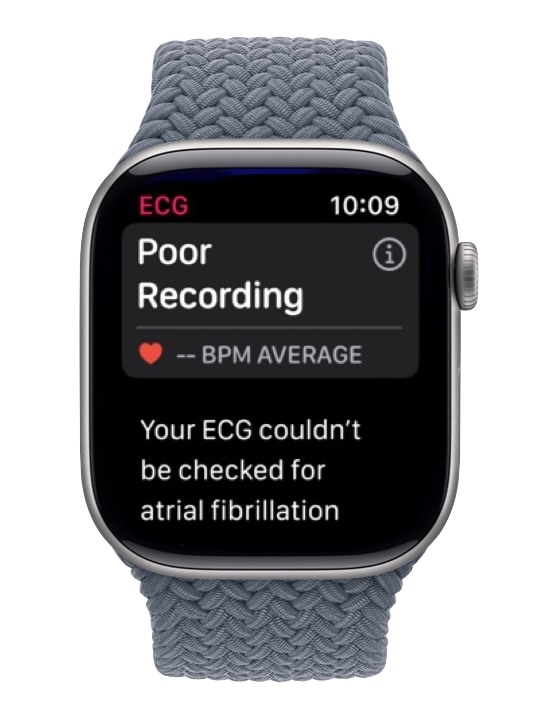
Quick fix, works most of the time:
- Wipe your wrist, fingertip and the back of the watch completely dry.
- Rest your forearm on a table so it's fully supported, to prevent muscle noise.
- Sit still and don't talk for the full 30 seconds to prevent baseline drift, then record again.
The most common cause: damp contacts
In practice, the single most common reason for a poor recording is moisture at the contact points, and above all damp wrist skin under the back of the watch. The Apple Watch ECG depends on three dry contacts, the back of the watch against your wrist, the skin under the band, and the fingertip resting on the Digital Crown. If any of these is even slightly damp, from sweat, hand cream, water, or just washing your hands beforehand, the reading will usually come back poor.
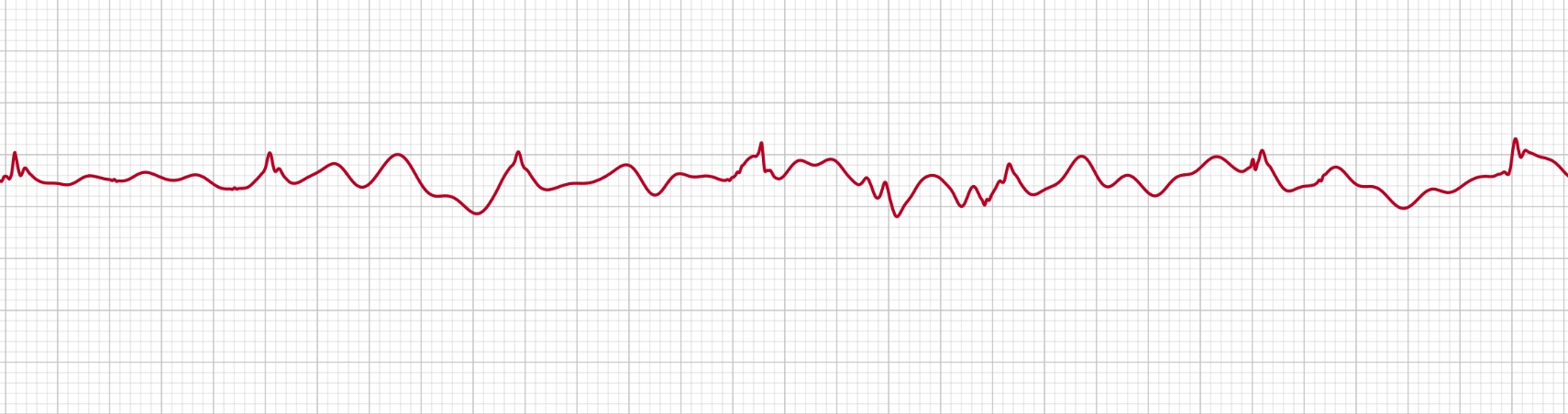
That hidden skin is the sneakiest culprit: wearing the watch snug all day traps heat and sweat underneath, and in summer it can stay damp almost constantly, so a reading comes back poor even when your hands feel perfectly dry. Wipe under the watch first.
This catches a lot of people out because it's the opposite of a clinical ECG machine, which uses gel electrodes where a little moisture actually improves contact. The Apple Watch uses dry electrodes, so the fix is reversed: make sure your wrist, your fingertip, and the back of the watch are all completely dry before you start. Wipe them down and try again.
The two kinds of noise, and what they look like
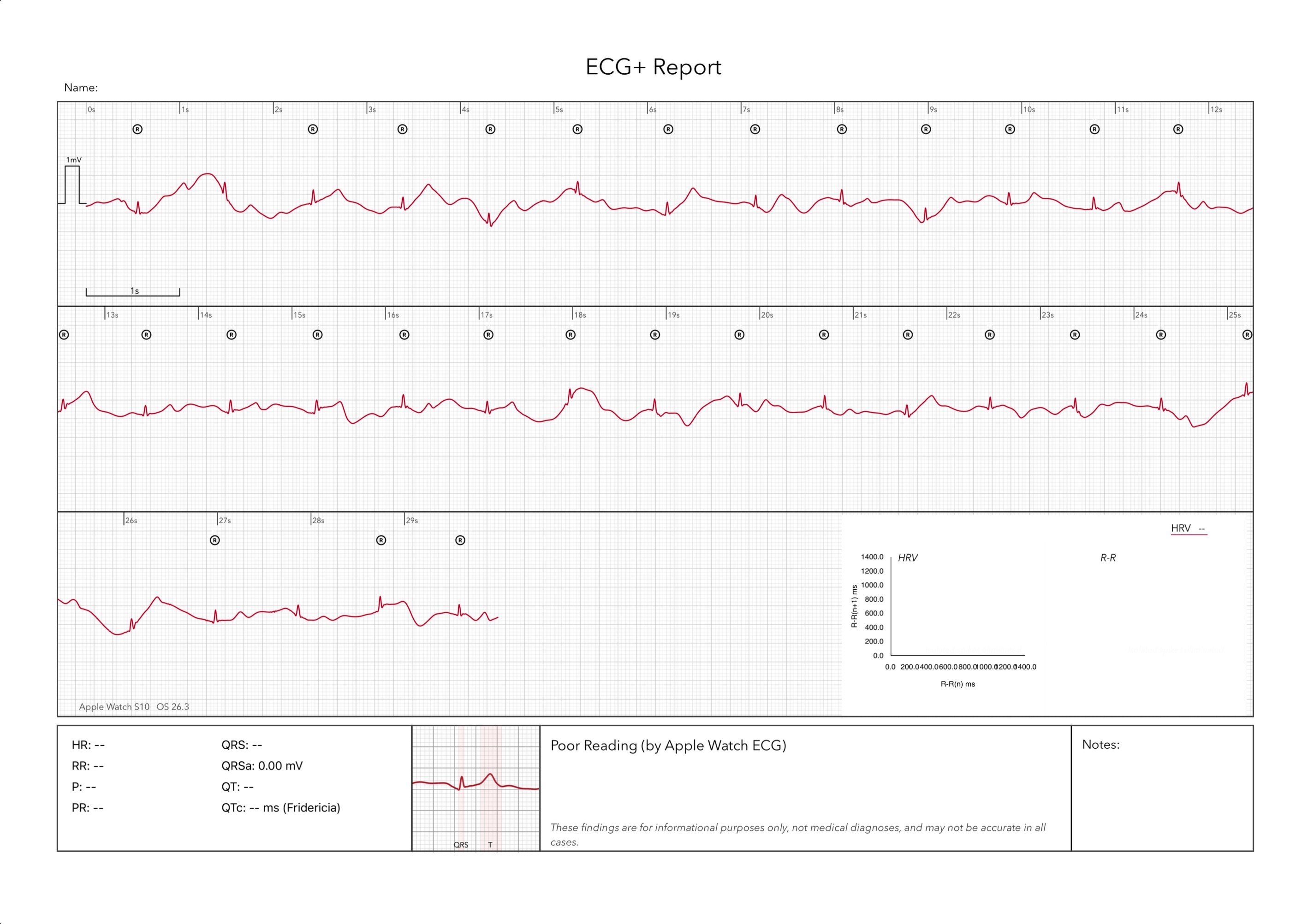
If you're curious what your poor recording actually looked like, most fall into one of two patterns.
When your muscles are too tense: EMG artifact
One looks like a fine, jagged fuzz, rapid spiky noise riding on top of every beat, that can bury the real waveform. That's usually EMG artifact: electrical signals from your own muscles. Gripping the watch too hard, tensing your arm, holding your hand up in the air, shivering, or even talking all make nearby muscles fire, and the watch picks that activity up alongside your heartbeat.
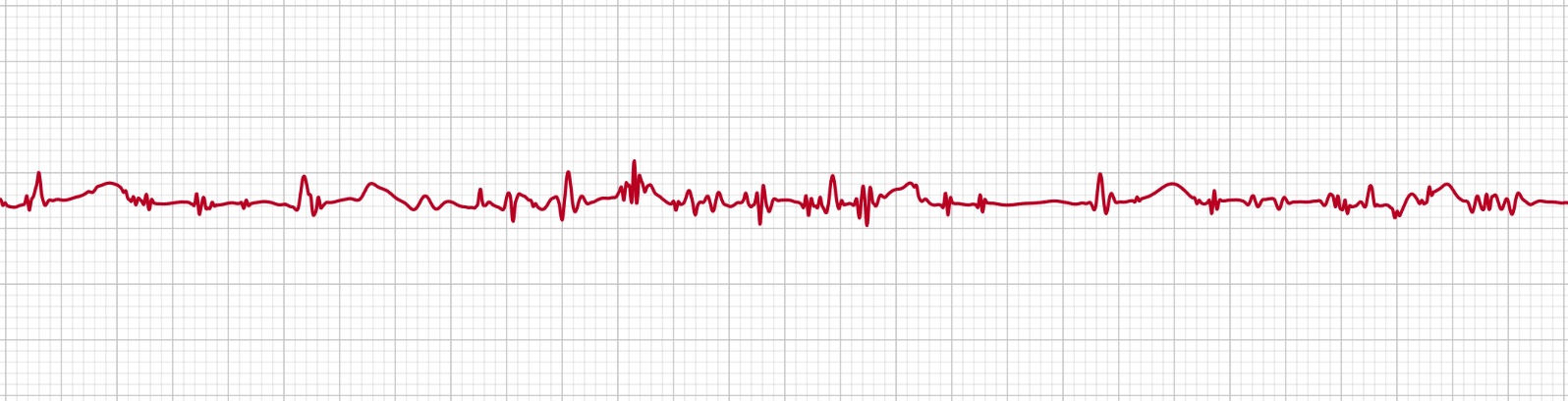
The cure is to relax completely and fully support your arm. For the full picture, see EMG artifact (muscle activity) on Apple Watch ECG.
When breathing or movement drifts the trace: baseline wander
The other isn't fuzzy so much as wandering: the whole trace slowly rolls up and down the screen like a gentle wave, so the flat stretches between beats never settle. That's baseline wander (sometimes called baseline drift), and it usually comes from slow, low-frequency disturbances, breathing deeply, a slightly loose band shifting against your skin, or cold, dry contact points. When it's bad enough, the watch can't find a steady reference line and rejects the reading.
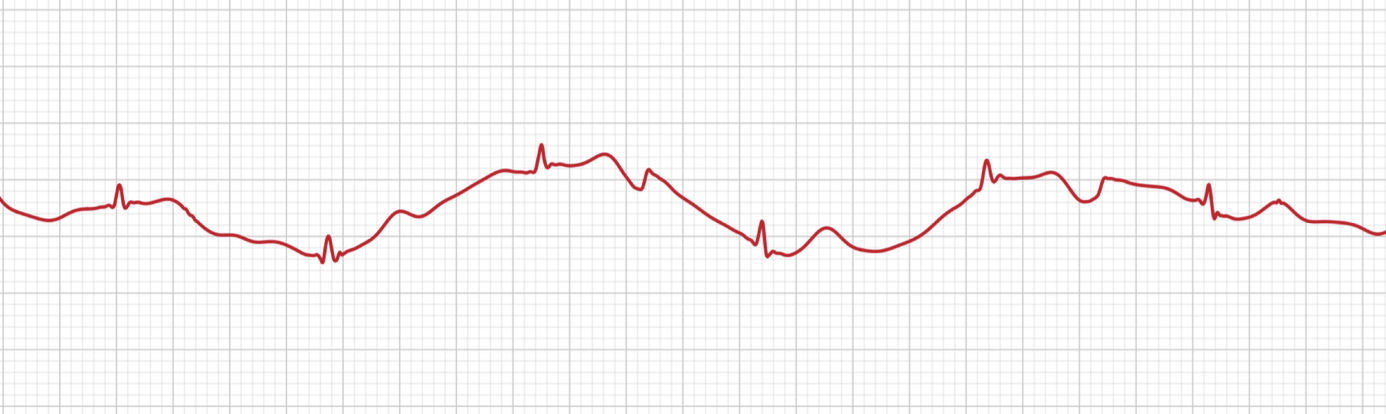
If your traces tend to drift rather than buzz, see baseline wander on Apple Watch ECG for what causes it and how to get a steady, level trace.
Other reasons Apple Watch ECG recordings come out poor
The ECG app reads a tiny electrical signal between your wrist and the finger on the Digital Crown. Anything else that disturbs that circuit shows up as noise. The usual culprits are:
- Movement: moving your arm, hand or fingers during the reading.
- An unsupported arm: holding your arm in the air instead of resting it.
- A loose (or overly tight) band: the back sensors lose steady skin contact.
- Damp skin or watch back (covered above), the leading cause, from sweat, water or hand cream.
- Taking the reading on the charger or near other electronics.
- The wrong wrist or orientation set in the Watch app.
- A dirty back crystal or Digital Crown on the watch.
How to get a clean recording
- Dry everything first: wipe any sweat, water or lotion off your wrist, your fingertip and the back of the watch.
- Sit down and rest your forearm on a table or in your lap so it's fully supported.
- Make the band snug: you should be able to fit one finger under it, no looser.
- Take the watch off the charger and move away from other electronics.
- Hold a finger on the Digital Crown without pressing, and stay completely still.
- Breathe normally and don't talk for the full 30 seconds.
Still getting poor recordings?
- Check the wrist and orientation in the Watch app (Watch app → ECG) match how you actually wear it.
- Move the band up or down your wrist a little, or tighten it one notch.
- Try the other wrist to see if contact improves.
- Restart your Apple Watch and try again.
- If poor recordings persist across many attempts, have the watch checked.
Once your recordings are clean, get more from them. A good 30-second recording holds far more detail than Apple's app labels.
ECG+ re-analyzes your clean Apple Watch recordings to surface what the standard app doesn't, PACs, PVCs, bigeminy, QT/QTc and more: so you can share clear evidence with your doctor.
Frequently asked questions
What does "poor recording" mean on Apple Watch ECG?
It means the watch picked up too much movement or electrical noise during the 30-second reading to read a clean heart signal. It is almost always about how the reading was taken, not a problem with your heart.
How do I stop getting poor recordings on Apple Watch ECG?
Rest your forearm on a table, make the band snug, sit still and don't talk for the full 30 seconds, take the watch off the charger, and make sure your skin and the sensors are clean. Moistening very dry skin can also help.
Does moisture or sweat affect Apple Watch ECG?
Yes, and it's often the main culprit. Unlike a clinical ECG that uses wet gel electrodes, the Apple Watch uses dry electrodes, so a damp wrist, fingertip or watch back tends to produce a poor recording. Drying the contact points completely before you start usually fixes it.